Reviews by category
Protection with BitDefender Antivirus 2008

Buy Now...

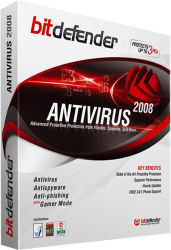
Anybody visiting the BitDefender stand during a computer exhibition will have no trouble realising that the company (Softwin) behind the product lives and breathes protection. Whether it is its give-aways, such as sun block and prophylactics, or its various products, protection is the name of the game. The Softwin has recently released new versions of its BitDefender software including BitDefender Antivirus 2008.
Installation of the product is straightforward while a wizard leads you through the registration process and how to set up an account for receiving hourly updates of any new threats. Options are included to have a desktop icon and the CD to be automatically ejected at the conclusion - a feature normally only associated with applications that burn data to optical media. After a system reboot, BitDefender places a small window on your desktop providing a graphical representation of the scanning activity that is currently being undertaken on your system.


Double clicking the BitDefender icon located in the system tray brings up the product's Security Centre. Here you will find feedback as to the current protection status of your computer. The information covers updates, anti-phishing, antivirus and identity control. A series of Quick Task icons let you instigate an update; scan your documents; plus carry out a deep system scan or a full system scan. The difference between the latter two scans is that the full system scan ignores archive files while they are included with the deep scan. Both of these types of scan can be time demanding and are best used at low priority or when the system is otherwise idle. Any problematic items found can be ignored, deleted or placed in quarantine at the user's discretion.
As part of its protection shield, BitDefender makes use of the company's B-Have technology. This feature checks out code by running it in a virtual compartment to test for any malware presence and has been improved for this 2008 version of the product. B-Have works in the background and I have been unable to detect any performance hit because of its activity.
Along with protection from virus and phishing attacks, BitDefender 2008 offers the security blanket of Identity Control. A little surprisingly, this feature is turned off by default. However it is a simple matter to turn it on with no more than a couple of mouse clicks. Various other settings relating to antivirus, privacy control and updates can be adjusted using a tabbed interface. Feedback is provided as to the current settings and status of your system. While this settings feature is fairly comprehensive, there is one option that does not appear to be accessible from it. This is Game Mode.
Like Identity Control, Game Mode is turned off by default. This is a reasonable approach as for many this mode will either be redundant or a slight risk they are unwilling to take. While most of BitDefender's protection features remain in place when Game Mode is activated, it does remove Web traffic scanning plus disables BitDefender's pop-ups and alerts. Game Mode can be activated or deactivated from a Context menu that appears when you right click on BitDefender's system tray ion.
Priced at £15.49, BitDefender Antivirus 2008 comes with a 3-user licence. It provides protection from viruses, spyware, phishing attempts, web content that might be considered objectionable and has a setting suitable for dedicated game players. Free 0800 telephone support comes as standard as does updates delivered on an hourly basis. BitDefender does require a system running Windows 2000 or later with a minimum of an 800MHz processor, 256MB (512MB with
http://www.bitdefender.co.uk/PRODUCT-2194-uk--BitDefender-Antivirus-2008.html
| add to del.icio.us | Digg this review |
| StumbleUpon | |
 !!
!!






Comment by Vu Duy Quan, 12 Jan 2009 14:04
One of the key features BitDefender has developed is a virtual machine that runs invisibly in the background on your computer where it tests suspicious code, which is code that looks like a virus but doesn't currently match any of the known virus signatures. In this way, BitDefender can protect your computer from viruses no one has reported yet. In the same tests by AV-Test.org, BitDefender scored higher than Kaspersky, Norton, Computer Associates (CA) and McAfee on its proactive detection of viruses and other malware with this heuristic approach. BitDefender scans somewhat slower than some of its competitors, due (we believe) to this virtual machine running. Naturally, there's going to be a price for this type of protection, but other products like ESET's NOD32 have done a better job at minimizing it.
Although BitDefender is great at removing viruses and spyware, it excels at protecting your system from incoming viruses. The new BitDefender can actually strip viruses from your incoming HTML stream before the virus makes it to your browser. We think every new computer should be outfitted with this kind of protection.