Reviews related to : Backups
Backing up your computer is of course important. Unfortunately many people don't realise this until it's too late then wonder why they didn't get round to making backups of important files on a regular basis.
Don't get caught out!
Browse our reviews of backup solutions for one that suits you!
This is a piece of software that I have used for many years, sometimes it’s a single file that I need to get back but twice now it’s been that Windows refuses to bootup and I have been happy to say in one case it was only a few hours work to get up and back to a few days previous, the other occasion took longer as I needed a new hard drive but in both cases it saved me.
The latest version states it will protect you with Active Protection for Ransomware Attacks, Malicious Files, Zoom Injection Attacks, Illicit Cryptomining and Malicious Websites and of course what it was first designed for to protect you from inadvertent delating of files and folders and allows complete reinstallation of Windows even if your PC fails to boot. All these extra protections do come with a downside in that the overall complete backup takes a little longer.
I have used Acronis for years it has often been able to replace a file or files that would otherwise be lost, earlier this year after a hard disc crash I was able to say ‘thank you’ when I was able to restore everything on a new hard drive. These days Ransonware is one of the most popular tools for thieves and used correctly even that can be thwarted.
On the 20 August they launched the 2020 version – as far as I know this is the first in the rush to be first – but only once version 17750 the March update is installed does this option appear. Acronis is running on both my Windows 7 and my Windows 10 system.
While I have restored files and folders which have become corrupted the only REAL test is when your computer fails to boot and at the very least this is not a trivial process. Yes my hard disc crashed, so first job is to get it removed from the computers case, second get a replacement drive and then with the aid of the Acronis disc a chance to do a complete restore.
Yes it’s the time of year when lots of software companies vie to be the first to bring their ‘2019’ products to market. Here is one that I use all year not just while I review it and on a couple of occasions when disaster has struck it was there to help.
So let’s start with what is new. First an all in one bootable media and backup tool on an external hard drive which means even if Windows will not boot providing your PC will run past the BIOS this can kick in. Acronis Active Protection now extends to NAS boxes so Ransomware should be held in check.

I have used Acronis for my regular Backups for several years, while it feels strange in August to be calling a release ‘2018’ I know all manufactures vie with each other to be first and certain software packages always come early.
The big recent talking point is Ransomware and if anyone gets clobbered by this nasty virus then their life will stop until they manage to restore some order. No Acronis is not a virus package it’s a Backup package and one that can wipe your hard drive so you can go back to where your PC was before your last backup and thus you can negate the effects of Ransomware just remember to do regular backups.

Your data is a valuable asset which should be protected by a product such as the latest offering from Acronis.
Keeping ahead of the current times, Acronis has released the 2018 version of its True Image personal back-up software for the home user. According to Serguel Beloussov, co-founder and CEO of Acronis, this latest version of True Image is “the first and only personal back-up software that uses artificial intelligence to defend consumers against one of the fastest growing threat to their data.

Last autumn I saw what was described as Acronis 2017; my first tests were problematic but settled down once a build 5554 was installed. This is still called Acronis 2017 but has a far higher build number at 6116; the latest editions new features are mentioned below.
It is strange to release two versions both in the same release year this version however has more new features as well as a longer title ‘Acronis 2017 New Generation’. I am sure everyone has heard of Ransomware a very nasty infection that encrypts your files and while ‘Anti-Virus’ and ‘Internet Security’ packages do their best sometimes the nasty people win out.

While most prospective customers would tend to think of burning software when the topic of the main area of the company’s expertise arises, Nero does have other strings to its corporate bow. One such offering is Nero BackItUp which is the subject of this next review.
With ever-present dangers, such as malware and the threat of a ransomware demand, waiting to pounce on the unsuspecting or devil-may-care user, it does seem extremely fool-hardy not to have the insurance-like blanket of a backup system. Offering to provide “Peace of Mind” in this respect is the latest version of Nero BackItUp software which has recently been enhanced to work with an Android app to back up data from a smartphone.

With a range of new features, Acronis backup software emerges in New Generation mode.
Breaking the pattern, I have come used to over the last few years of releasing, a new single version of True Image each year, Acronis has produced a second version of its 2017 True Image offering. In order to distinguish this second version from the original product, Acronis has named the latest offering True Image 2017 New Generation.

Flash drives can have multiple uses including providing a cross-platform backup service.
Whether being used to capture Selfies or probably more picturesque scenes, the tool of choice for many users is that of their smartphone or, in some cases, a tablet. Once these images have been captured, it can sometimes be a wrench to dispose of them in order to make space for further additions to your photographic collection. However a possible solution could be available with a product from Picture Keeper entitled Picture Keeper Connect.
This is the latest version of the backup software that has protected me for many years. They do two versions one you purchase outright and other a 12 month subscription which of course will give you lots of updates during the year.
I usually just install the latest version on my work machine and continue my regime of weekly full backups. Being a belt and braces person, I also do separate backups for emails and for any work in progress files.
While it makes sense to insure your valuable possessions, surely this action should also apply to your data with the insurance taking the form of a backup product.
Since it was founded in 2003, Acronis has built up an impressive reputation with its backup disaster recovery and secure access solutions powered by the company’s AnyData Engine. With more than 50 patents, Acronis currently protects the data of over five million consumers and 500,000 businesses in over 145 countries.
This is the latest version of a trusted Backup program. It is designed to make the job of file backup easy and if it becomes easy then maybe more people will do what is a boring job more regularly. This is not a full system backup just a file backup there is a distinct difference.
This is designed to backup four categories only, Music, Videos, Photos and Documents. You can choose any combination of the four groups and simply give it a destination and let it get on with things, if you wish it will even turn your PC off when it’s finished. This process can be done at whatever intervals you wish, it can be one off or even a continuous job whenever a file is added or changed, you decide.
As another year passes by, so the latest version of a popular backup package makes an appearance.
Often regarded as an optional task until problems arise, having a backup schedule can be extremely useful and a great time saver when circumstances occur. Offering to provide a comprehensive range of backup/restore facilities is the latest version of Acronis True Image. This product allows you to create backups of your entire computer system, user-specified folders or particular types of files with the data being stored locally or in a Cloud Storage allocation.
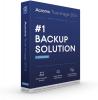
Everyone needs backups, no ifs no buts no maybes, backups are essential. If you have gone through life without needing one so far you are lucky, very lucky. In fact maybe you would like to go halves on a lottery ticket, but one day you will need a backup.
Most people do backups without thinking and that is perhaps almost as bad as not doing a backup. For instance some do a backup say once a month and then do incremental backups for the other weeks in the month. Sods law says the day you will need the backup is the day before you do the full backup.
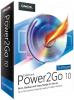
This is the latest version of a product from Cyberlink it is called Power2Go and it burns and backs up, yes I know the latter is a bore but if you have not got a current working backup and the worst happens then your digital life ends.
The install takes around five minutes on a reasonably fast machine and you use 1005MB of hard disc space. Three icons are created on your Desktop Power2Go 10, LabelPrint 2.5 and WaveEditor 2. Open Power2Go 10 and you have a front end that is simple and clear. It is split horizontally with tasks in the top half and that tasks options in the lower half. The eight choices are Data Disc, Video Disc, Music Disc, Photo Gallery Disc, Online Media Backup, Copy Disc, Media Converter and Utilities.
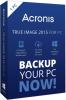
I have seen several versions of this software over the years, all were previously tied to a hard disc that enabled you to clone a disc to your new hardware. Here this is the full boxed version that not unsurprisingly can to this and much more.
I have entered some long serial numbers over the years but this seems to be the longest if you count the blanks its 71 characters. A full disc Backup took 77 minutes to USB2 disc, it took 110.4GB, the disc copied has 134GB used. One week later the incremental backup took 20 minutes and was 21.2GB in size. Two weeks later the next increment took 16 minutes and was 22.3GB in size.
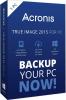
When was the last time you made a backup of your valuable computer data? Hopefully it was within a period that could be called recent. I know it can be a bind to fit such activities into busy modern day living but back-up software, such as Acronis True Image, can be set to schedule this type of operation and automate the process for you so you do not have to bother.
Available in a variety of editions, Acronis True Image 2015 comes with the claim of being “the most complete, easy, and safe full system backup solution for personal use” while offering both dual protection (local and Cloud based) plus multi-platform (Windows and Mac) environments. When installing Acronis True Image, the software conducts a search of your computer system for a previous version of the product.
Yes its true, the oh so vital tool we all hate doing is now available for FREE from Paragon Software. The most important thing on your PC is your data. If your hard disc crashes money can replace it, can your unbacked up data be replaced?
While it does not make the time required to complete the task any easier to find the fact that you have not paid for the software – from a reliable company – can lessen the pain. The software is a download I will give the link at the end of this article. I have tried it myself on both my test machine and my own main PC.
This is probably the best hard disc full duplication software on the market. Currently on offer with an amazing 250GB of free Cloud storage available, available for the same price (as a special offer) as the more normal 5GB offering.
I have used several previous versions of this software, but always previously the versions supplied by third parties with their hardware. Those versions did just the basic job of cloning or moving data from one place to another. To find out about the new features and especially the Cloud options – for those worried I found their Cloud resides just over the channel in France and not as so many in the USA – I was due to meet with Acronis bosses in September.




Main Menu


