Reviews related to : Brother printers
Brother are now one of the big names in home and office print technology providing everything from photo printers to all-in-one machines, inkjet to laser.
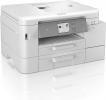
A new series of Brother inkjet printers
Currently I have only been provided with details of a couple of the new models. However I have been informed that all the new models, including those due to arrive later this year, will offer support for the new Brother Mobile Connect app. Available on Android and iOS platforms, this app will help users to send a file to a printer device from anywhere at any time. The app can also be used to monitor the printer's ink levels and order replacement supplies when necessary.
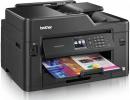
Needing hard copies of your documents and images, this next product could help.
Adding to its J5000 range of printers, Brother has introduced its MFC J5335DW model. This particular product is a multi-function device based on its central ink-jet printer capability. Adding extra functionality to the basic printer operation are features delivered by a flatbed scanner, faxing option and an ADF (Automatic Document Feeder) unit. Brother is aiming the J5335DW at the small office / home office market.
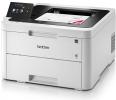
This A4 colour desktop LED printer is a versatile workhorse that will meet the needs of the small office or, for example, the busy student who needs to print out essays or lab reports.
Light grey in colour with a black top the printer is 439 mm wide x 461 deep and 252 mm high. It then needs about a further 5cm to the rear for access to the USB, Ethernet and power connections. In view of the fact that, being a colour printer, it has to incorporate colour toner cartridges in addition to the normal black one this is not an unreasonable size and, as it weighs 18.3kg, it has a robust feel about it.
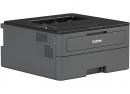
The Brother HL-L2375DW is a fast small footprint mono laser printer that is networkable and does double-sided printing. It will meet the needs of those who print a fair amount but don’t need colour to enhance their documents.
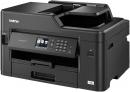
The Brother MFC-J5330DW is a 4-in-1 multifunction device that can print up to A3 in size and is targeted at the small office.
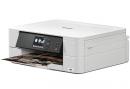
The Brother DCP-J774DW is a versatile A4 3-in-1 inkjet printer targeted at the low-volume SoHo user who wants versatility in a package that doesn’t take up too much space.
The unit is light grey in colour and rectangular in shape with a full size lift-up cover over the glass scan/copy platen. It is 40cm wide x 34cm. This increases to about 38cm when the control panel, with its 6.8 cm diagonal touch-sensitive colour LCD display, is swivelled outwards to a more convenient viewing angle and about 46cm when the paper catcher is extended to the front and still further on those occasions that the rear single sheet feeder is deployed.
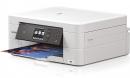
In the case of this unit it is a four in one device as not only does it print, scan and copy but it also has fax capability and while this may not be required by the majority it is certainly used by my health centre to send urgent prescriptions to chemists.
The Brother MFC-J895DWmeasures 39x34x17cm. You would need around another 14cm onto the second figure the depth for paper output and another 5cm onto the last figure to insert sheets in the feeder mechanism to scan, however this unit is perfectly flat on top when the scanner unit is closed so as we also know any flat surface in the office is useful to put things on. The total weight is 8.5kilos so if on a shelf make sure it is strong enough.
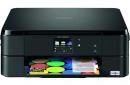
Adding to its range of consumer multifunction devices, Brother has introduced its DCP-J562DW model.
Decked out predominately in black, and box-shaped with rounded corners, the DCP-J562DW is a new addition to Brother’s range of multi-function devices for the home user. Combining an A4 flatbed scanner with an inkjet printer, the DCP-J562DW offers print, copy and scan facilities with a choice of wireless or USB connectivity plus support for various remote print services such as Apple AirPrint, Google Cloud Print and Brother’s own free iPrint&Scan app.
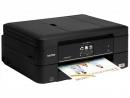
This inkjet unit can print, scan, copy and fax. It is suitable for the home or SOHO user. Unusually it has three paper inputs within its normal sized form. So what exactly can this latest offering from Brother bring to the market.
Being designed to be left on – to send and or receive faxes – the Brother MFC-J680DW has an extra press of a button on the TFT screen which adds a couple of seconds to boot time. Shutdown also has another press to remind you that you are turning the fax off. The machine is 40x38x17cm the last figure will need to increase by a few centimetres if placed on a shelf to allow you to put sheets on the flatbed scanner.
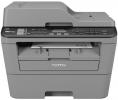
As part of the latest refresh of its Business Printer line up, Brother has released the MFC-L2700DN model. This All-in-One device combines a mono laser printer with copy, scan and Fax capabilities. The letters DN, forming part of the products model number, indicate that Duplex printing and Network connectivity are part of this units feature set.
Befitting its business status, the MFC-L2700DN has a solid appearance with a predominately gun-metal grey colour scheme that would probably not be acceptable in a home environment. The only exception to this mass of grey is the front mounted control of which more a little later. Considering it is meant to be used in an office, this All-in-One is reasonable compact with dimensions of 409 x 398.5 x 316.
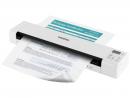
While standalone flatbed and All-in-One devices can cope with many scanning tasks, sometimes you need a more specialised piece of equipment to handle this aspect of your document management needs.
The Brother DS-920DW is a device described as an “anywhere, anytime, portable scanner”. As the “DW” part of the product’s model number might indicate, this scanner offers both Duplex or double sided scanning and wireless connectivity.
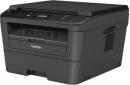
This mono laser can print, scan and copy. It is a quite small unit so would easily fit into a cupboard or even onto a strong shelf, being black or perhaps more accurately very dark grey it is unlikely to pass the tests imposed by the lounge police.
The Brother DCP-L2520DW mono laser printer measures 40x35x30cm and just add enough to insert items onto the flatbed so say make the last figure 35cm and that is all the space it requires as paper is delivered once printed within the units confines. The unit weights 9.7kilos. If you use USB the cable is inserted back left and the power lead back right. You may find that you need a USB lead to make the Wi-Fi linking easier as otherwise you have a harder job to make the initial connection.
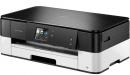
As part of its new range of inkjet printer models, Brother has released the DCP-J4120DW. This particular model is an All-in-One device that includes A3 print capability and automatic 2-sided printing along with its basic print, scan and copy functionality.
With a black layer mounted on top of a computer grey base, the J4120 has dimensions of 480 x 290 x 163mm (W x D x H) and weighs 8.1 Kg. Setting up this scanner and printer combo is relatively quick and straightforward. That is once you have got your head around the concept of paper being inserted into the 150-sheet capacity input tray in landscape orientation for documents printed in portrait mode. Once power is fed to the J4120, instructions will be displayed on the unit’s 6.
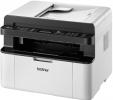
Newly arrived from Brother is the MFC1910W which is a multifunction laser device with options that include ADF and Wi-Fi.
The Brother MFC1910W is a multi-function, mono laser device. Combining the full set of print, copy, scan and fax features with an ADF (Automatic Document Feed) module for good measure, this All-in-One unit offers users a choice of USB or Wi-Fi connectivity when adding this product to a computer and/or local network.
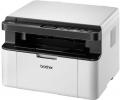
This is a small A4 printer with a scanner lid on top, so small you think its only a printer but its a true All In One as it scans in colour and prints and copy in mono. This laser surely has a place in any small office if only for its diminutive size.
The Brother DCP-1610W measures 38x48x25cm with paper and cables attached so that is all the space you need, it’s not that heavy so even a wide shelf should accommodate it. Just allow a few centimetres on top of the 25cm height to allow items to be placed on the scanner flatbed.
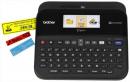
Adding to its range of label printers, Brother has released its P-Touch D600VP model.
As with the company’s D450 model, reviewed recently, the Brother P-Touch D600VP is a “Professional PC labelling machine” that comes packaged in its own rigid carry case. This black case, with built in handle, bears more than a passing resemblance to an old portable typewriter I used many years ago. Opening the moulded plastic case reveals the same arrangement of content as found with the D450 unit.
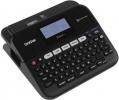
We often use labels to identify items for our personal benefit and that of others. These labels can be tags which we add to digital data or physical markers such as name badges. This next product offers the means to give those physical labels a professional appearance.
Unlike the other Brother label printers that I have looked at over the years, this next model immediately stands out due to the fact that it arrives with its own carry case. This is the Brother P-touch D450VP product. Possible to justify the presence of its business-like carry case that reminds me of an old portable typewriter, this product is described as being a “professional PC labelling machine”.
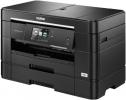
This is a true A3 printer as well as a unit that scans, copies and faxes, it prints A3 from within the outline of the machine yet is a good deal smaller than you would expect as paper is stored in landscape rather than portrait format.
It is 47x35x30cm only a tiny bit larger than most A4 units and remember this can store A3 paper within the unit, the secret is that the unit stores in Landscape format – don’t worry it still prints in portrait – with the page appearing sideways has another advantage in that it needs less space in front for paper to appear.
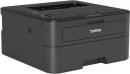
While colour can add impact, it is not always required by some documents. This next printer gives you speed and good quality for your monochrome documents.
While Brother is currently targeting the expanding Colour Laser market space with its “Now the Gloves are Off” campaign, the company is certainly not neglecting the monochrome market sector as can be seen by its new HL-L2365DW offering. Aimed primarily at the Home and Small Office user, this monochrome laser printer offers a choice of USB, wired network or wireless connectivity with Duplex printing capability as the “DW” part of the product’s title indicates.
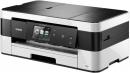
This is an inkjet unit and it can also print A3 as well as the normal A4. Two sided printing as standard and as it has four separate cartridges only the required empty ones need changing so you should also save money with this unit.




Main Menu


